One question at a time.
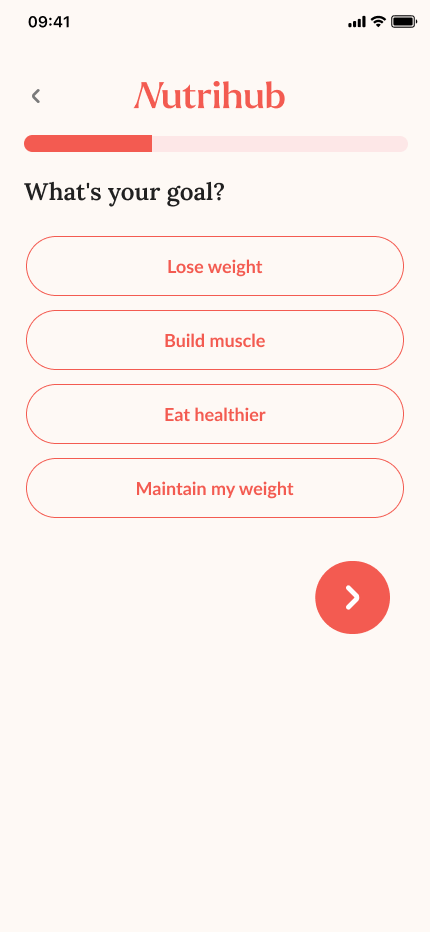
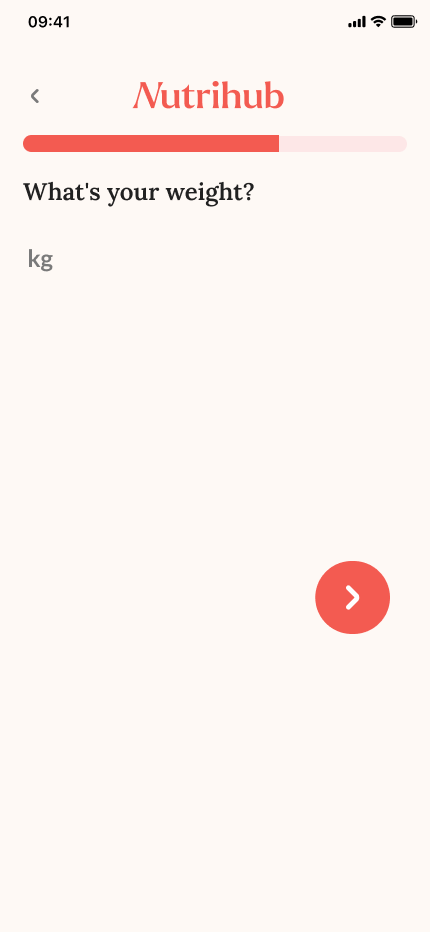
Each step asks for a single thing, with a progress bar and one clear way forward, so a long setup never feels long.
Nutrihub is a mobile app that turns a nutrition plan into a daily routine: goals, meals, and how you feel. I had one week to design the pilot, from the first sign-up screen to daily tracking, and hand it off for development.
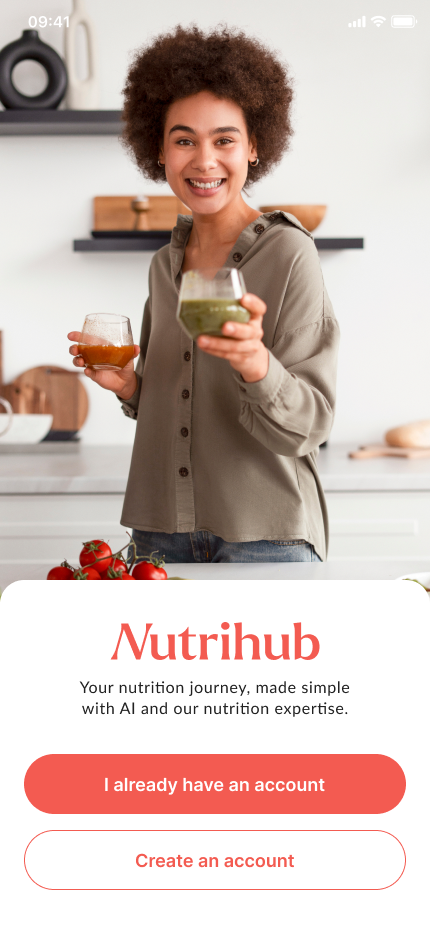
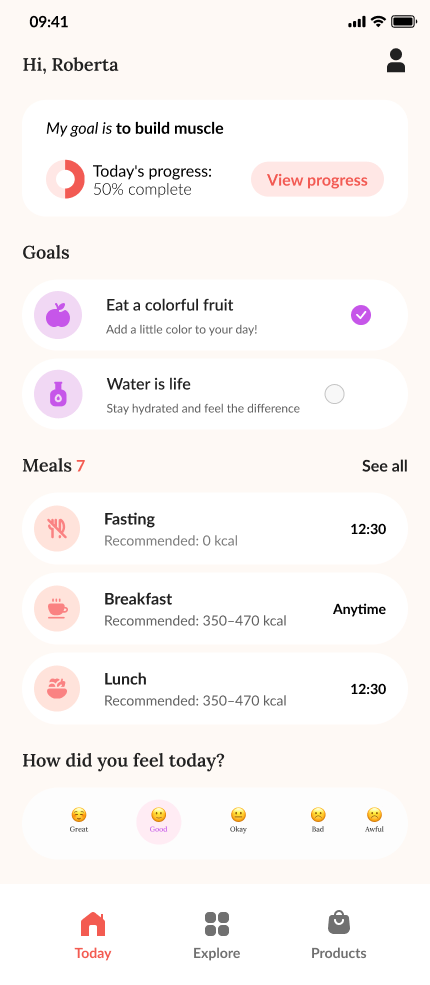
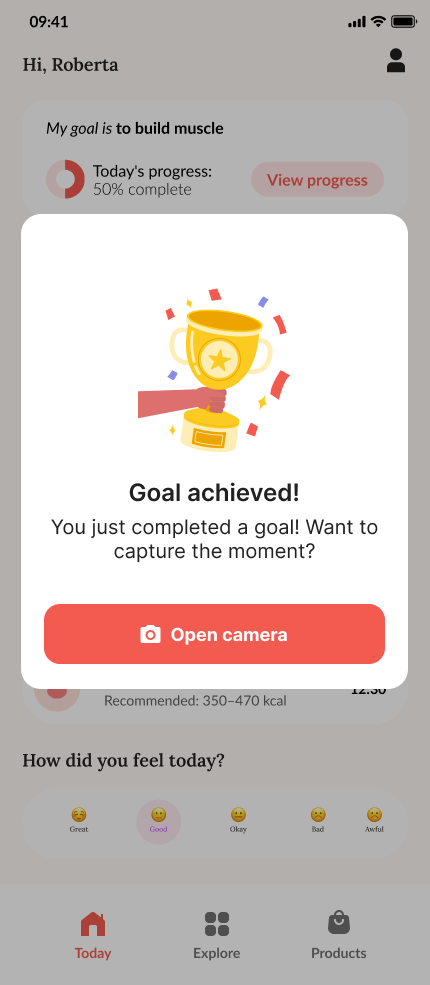
Welcome, Today, and goal completion.
The brief
A nutrition app has to do several jobs at once: learn who the person is, give them a plan, and make logging a meal feel easy enough to repeat every day.
With a week to work, the pilot is organised as a complete loop rather than a single screen. It covers sign-up, onboarding, the daily home screen, weekly and monthly progress, a profile, meal logging, and goals.
Each step asks for a single thing, with a progress bar and one clear way forward, so a long setup never feels long.
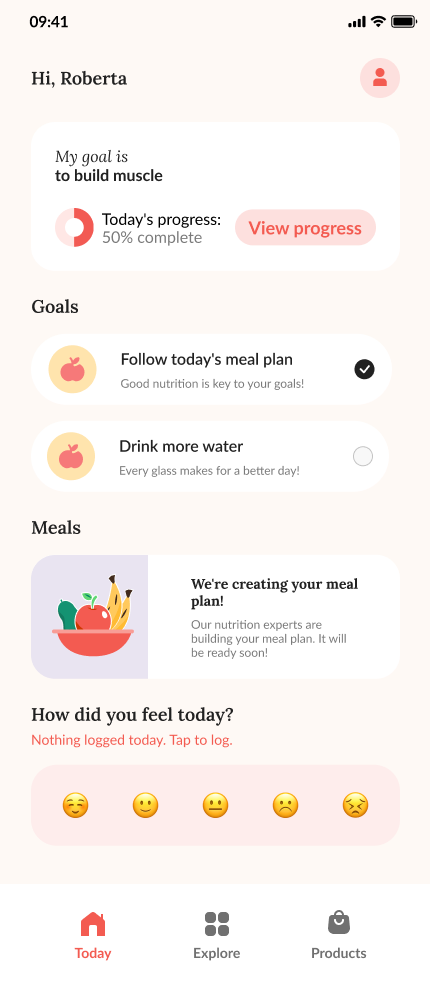
The goal, daily progress, goals and meals sit on one screen, so opening the app answers “what do I do next?”.
Completing a goal opens a moment of recognition, with an invitation to capture the achievement.
Onboarding
The welcome screen sets the tone with a person and a promise, and offers separate paths for returning and new users.
Sign-up then moves through short, single-question screens: questions like your goal and weight each get a full screen, a visible progress bar, and a round continue button in the same place every time.
Daily home
The Today screen opens with the person’s goal, “build muscle”, and how much of the day is done. Below it come the day’s goals, each with a short, encouraging line, and the meals of the day.
Each meal shows a calorie recommendation and the time it was logged, or “Anytime” when it has no set time. Fasting appears as a meal of its own, with a recommendation of 0 kcal.
Exploration
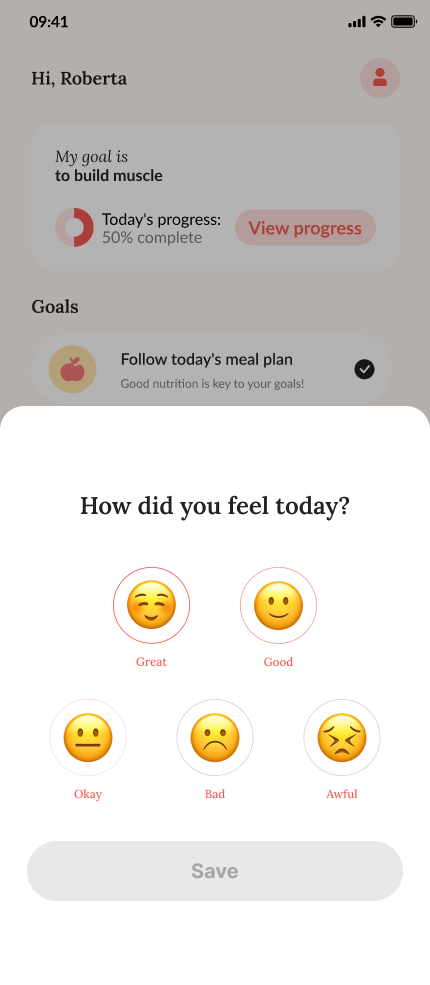
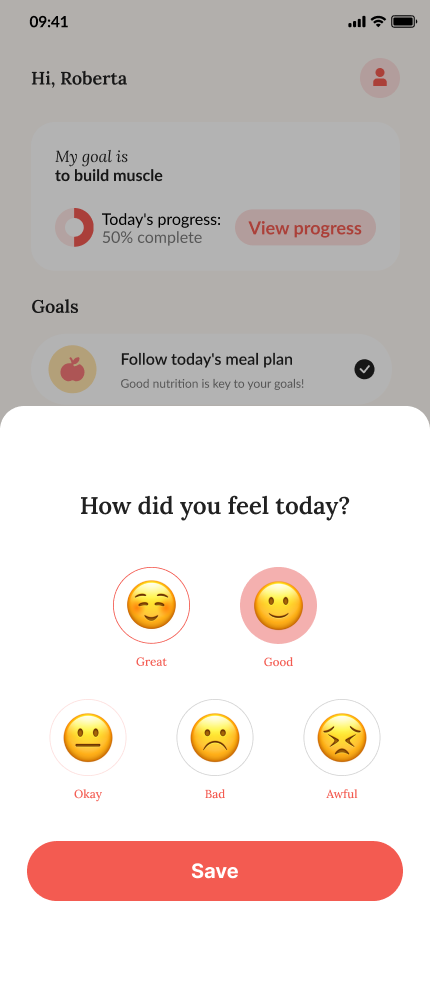
A daily mood check-in is part of the home screen, so I explored how to ask for it. One version keeps a row of five faces right on the dashboard. The other opens a bottom sheet with larger targets, labels, and an explicit Save button.
The pilot keeps the compact row on Today, with each face labelled, so the check-in sits alongside meals and goals instead of interrupting them.
Goals
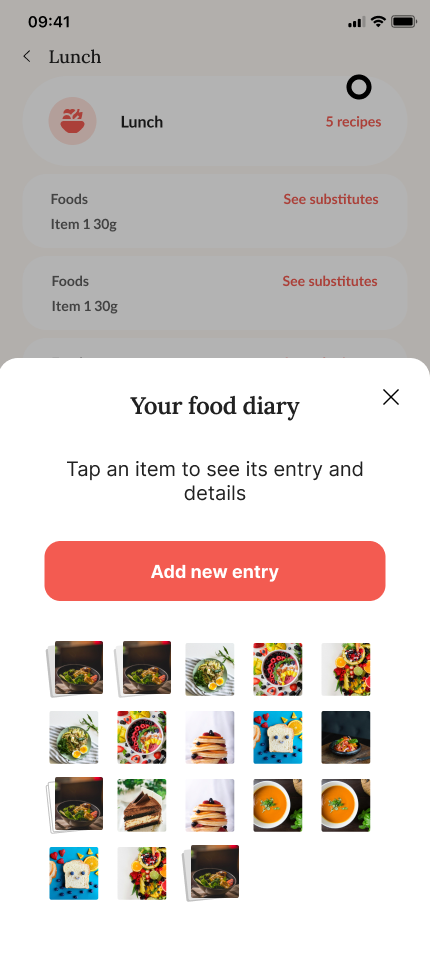
When a goal is completed, a dialog congratulates the person and offers to open the camera, so the achievement can become part of their record.
The same Today screen sits behind it, so the celebration stays connected to where the goal lives.